
What Is a Same Intent Pages Checker?
A same intent pages checker is a tool that looks for pages on your site that answer the same question. The pages may use different words, different titles and different examples, but a searcher would treat them as one answer.
That is different from duplicate pages. Duplicate pages repeat the same content. Same intent pages may be well written and still compete, because they target the same job. A guide, a tool page and a blog post can all promise to explain the same idea.
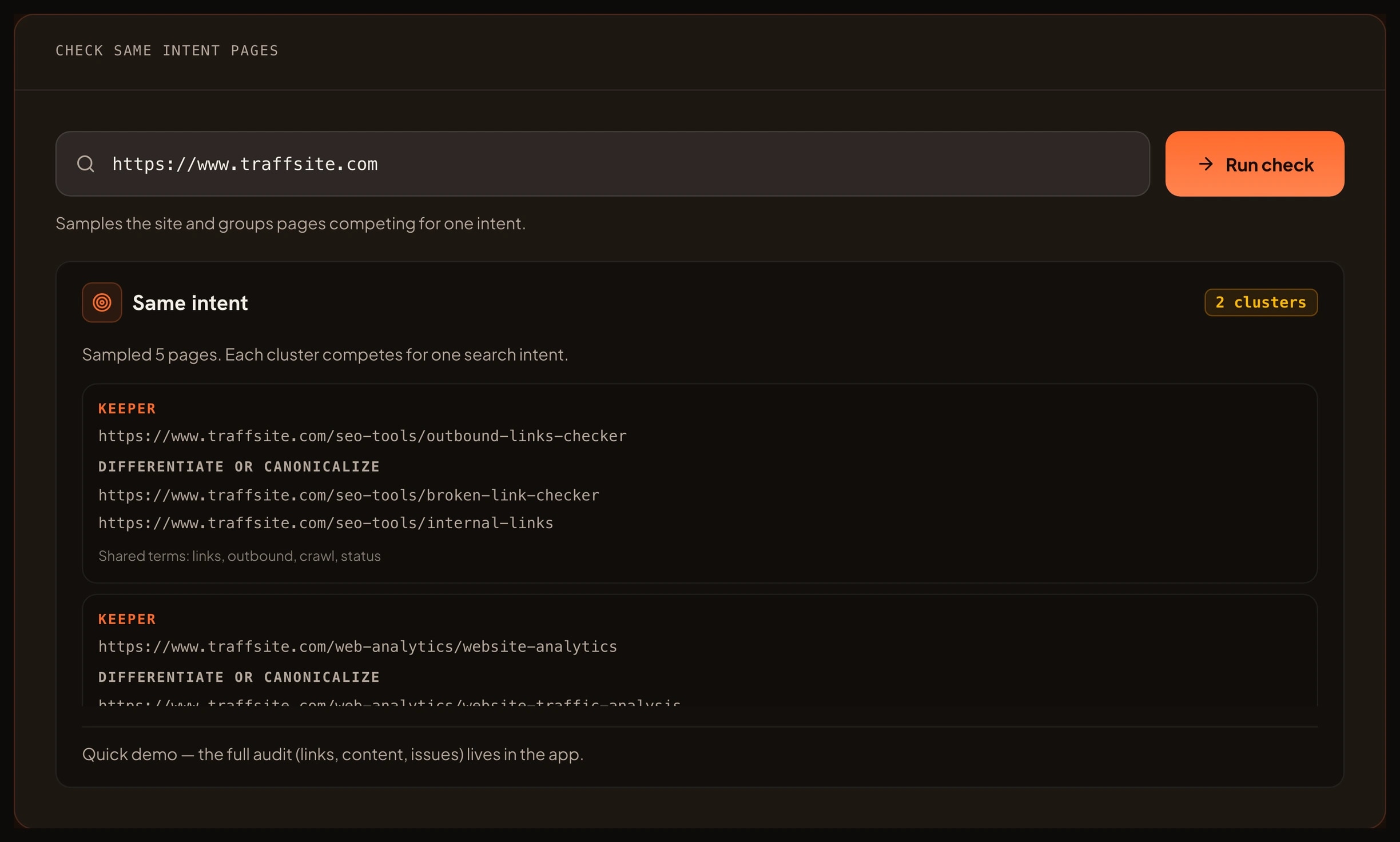
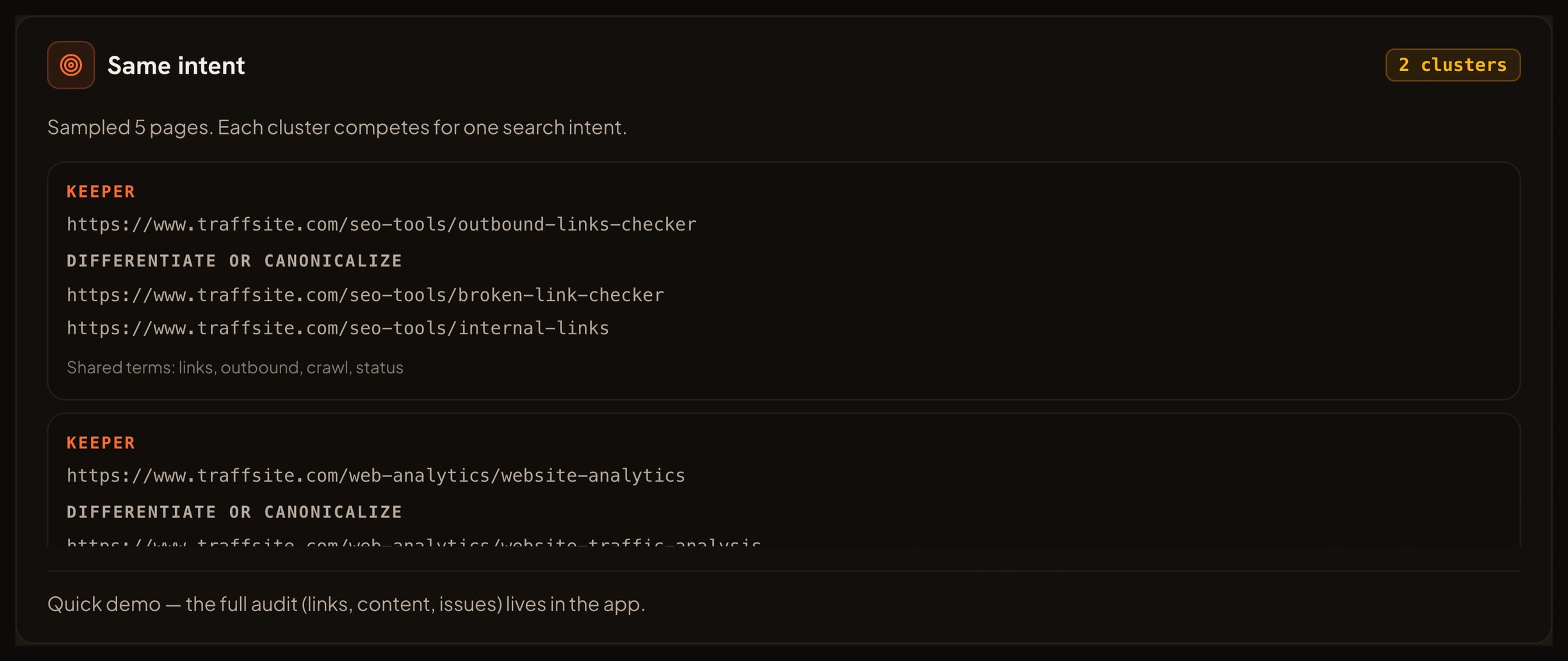
The checker compares the signals a visitor sees first: the title, the H1 and the main topics in the body. When two pages share enough of those signals, it groups them. Each group names the pages, the shared terms and the page that looks like the best keeper.
The keeper is a suggestion, not a command. The checker looks at the strength of the sample and the internal links it can see. You still decide which page fits your site, your audience and your business.
What You Can Use a Same Intent Pages Checker For
Use the same intent pages checker when the site has many pages that sound similar. These are the jobs it handles well.
- Find keyword cannibalization. See which pages compete for the same query before you write another one.
- Plan a content consolidation. Choose one page to keep and merge the useful parts of the others.
- Pick a keeper. Use the page with the clearest title, the strongest content and the most internal links.
- Differentiate pages that should stay. Give each page a distinct angle, audience or stage of the journey.
- Fix internal links. Send links to the keeper instead of splitting them across several pages.
- Plan a redirect. When two pages do the same job, send the weaker one to the keeper with a 301.
- Audit a blog or tool library. Find pages that grew into the same topic over time.
How Grouping Same Intent Pages Helps Your SEO
Google does not have a separate penalty called keyword cannibalization. It does choose a page when several pages answer the same query. That choice may not be the page you want. When two pages send the same signal, Google has less reason to pick one as the clear answer.
The bigger cost is inside your own site. Internal links split between two pages. Editors update one page and forget the other. Analytics reports show two small results instead of one strong result. Visitors land on the weaker page and leave.
Google's guidance on helpful content starts with people. A page should give a reader something useful, not repeat a page that already exists. The SEO starter guide makes the same point in simpler terms: organize the site around topics, and help visitors move to the page that answers their question.
A canonical or a 301 can settle a clear overlap. Google's guide on canonical URLs explains how to state a preference. Use it when the pages really are the same job. When the pages are different, make the difference obvious in the title, the H1 and the opening paragraph.
What You Can Achieve With a Same Intent Pages Checker
A clean run from the same intent pages checker gives you a short list of clusters and a decision for each one. You can:
- Keep one page per intent and redirect the rest.
- Merge the useful parts of two pages into one stronger page.
- Rewrite a page so it serves a different audience or stage.
- Point internal links at the keeper page.
- Stop publishing new pages that repeat an existing answer.
- Give editors a shared map of who owns each topic.
- Recheck the cluster after a release and confirm the overlap is gone.
The result is a content set with fewer collisions and a clearer path for readers.
Benefits of Grouping Same Intent Pages
- Make one page stronger. A single page with clear links and a clear title is easier to trust than two half answers.
- Reduce editor confusion. A topic map shows who owns each question.
- Improve internal links. Links go to the keeper instead of splitting the same signal.
- Clean up analytics. One page per intent makes traffic and conversion data easier to read.
- Support content planning. New ideas can fill a gap instead of repeating a page that already exists.
- Make consolidation safer. A cluster with a keeper and a reason is easier to act on than a list of URLs. A same intent pages checker makes that map visible before you publish the next page.
How to Use the Same Intent Pages Checker
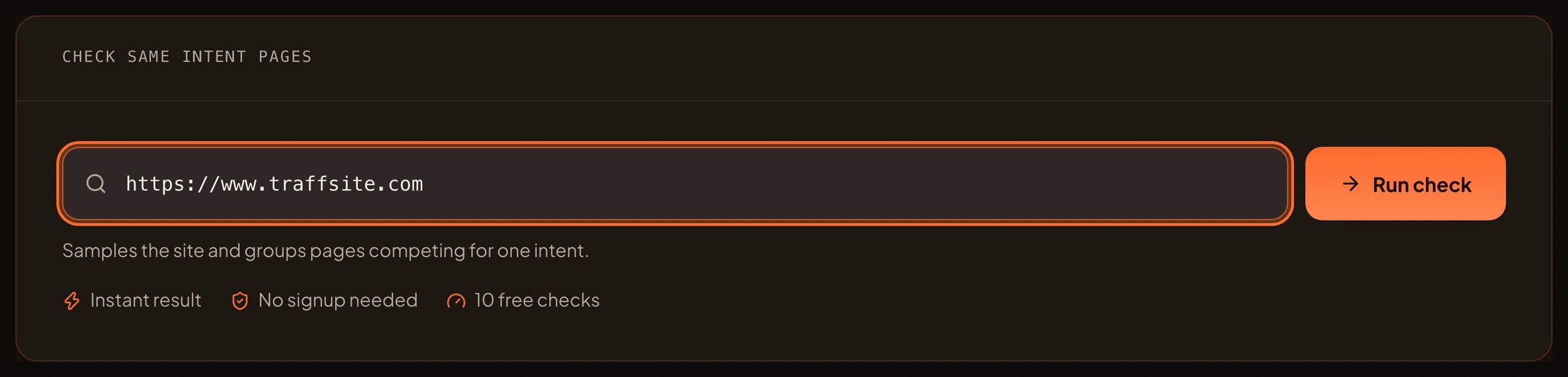
- Enter the site address you want to sample. Use the homepage or a section hub with the pages you care about.
- Run the free sample. Traffsite reads the page and a bounded set of same-origin pages.
- Open the clusters. Start with the group that has the most pages or the closest overlap.
- Read the shared terms. They show why the pages were grouped.
- Check each page in a browser. Confirm that a reader would treat them as one answer.
- Choose the keeper. Use the suggested page or pick the one with the best content and the clearest URL.
- Apply the fix. Merge, redirect, canonicalize or differentiate. Then recheck the cluster.
- Move to a full crawl in the app when the sample is clean.
The free sample is deliberately bounded. It compares a small set of pages so you can see how the clusters work. The full same intent report for a whole site runs in the Traffsite SEO app.
Who Should Use a Same Intent Pages Checker
- SEO specialists. Audit cannibalization before a migration, a redesign or a content sprint.
- Content editors. Find articles that answer the same question and decide which one to keep.
- Content planners. Choose new topics that fill a gap instead of repeating a page.
- Site owners. Clean up pages that grew into the same job over several years.
- Agencies. Give each client a cluster map with a keeper and a next step for every group.
- Developers. Check templates that generate similar pages for different audiences.
You do not need a keyword tool to start. The checker uses the page signals a reader sees first, and the app keeps the full cluster map for the next run.
Frequently asked questions
Is keyword cannibalization a Google penalty?
No. Google does not have a separate penalty called keyword cannibalization. It chooses a page when several pages answer the same query. The problem is that the choice may not be the page you want, and your internal links and analytics get split across competing pages.
How does the checker choose the keeper page?
The checker looks at the sample, the overlap between pages and the internal links it can see. It suggests the page with the clearest signal and the strongest support. Treat it as a starting point, then use your own judgment about content quality, audience and business goals.
Should I delete or canonicalize competing pages?
Delete or redirect a page when it has no unique value and another page does the job better. Use a canonical when both pages must stay live but one should be preferred. If both pages serve a real, different audience, differentiate them instead of removing one.
What is the difference between same intent pages and duplicate pages?
Duplicate pages repeat the same content. Same intent pages may use different words but answer the same question. A duplicate pages checker compares the content itself. A same intent pages checker compares the job the page is trying to do.
How many pages does the free check sample?
The browser sample checks a small, bounded set of pages from the site you enter. It is enough to see the cluster types and the closest overlaps. A full site report, with every page and every cluster, runs in the Traffsite SEO app.
Does this work for ecommerce sites?
Yes. Product pages, category pages and buying guides often compete for the same intent. The checker groups the pages that overlap and shows the keeper. For a full variant and category audit, run the crawl in the app and review the clusters with the merchandising team.
Related tools
Sources
Go beyond one URL
Audit your whole site, not just one page
Crawl every page, map every link, and get the full issue list with fixes — free to start.